How to Use a Digital Scale for Cannabis: Step-by-Step Guide
Using a digital scale seems straightforward, but proper technique makes a real difference in accuracy. Whether you're verifying a purchase, tracking usage, or dosing for edibles, this guide covers
Using a digital scale seems straightforward, but proper technique makes a real difference in accuracy. Whether you're verifying a purchase, tracking usage, or dosing for edibles, this guide covers everything you need to know.
Quick Answer
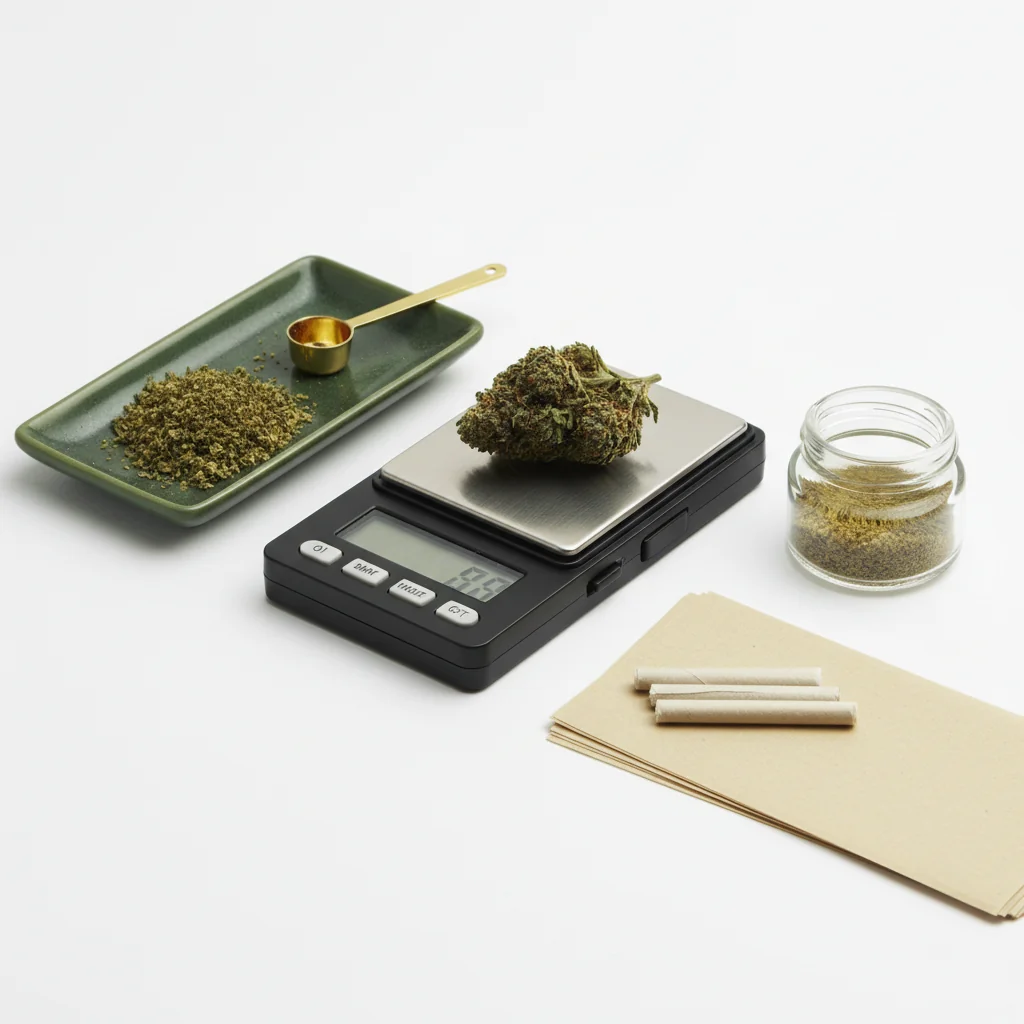
Place your scale on a stable, level surface. Turn it on and wait for 0.0g. If using a container, place it on the scale and press "tare" to zero it out. Add your cannabis gently, wait for the reading to stabilize (2-3 seconds), then record the weight. Keep batteries fresh and calibrate monthly.
Step-by-Step: Weighing Cannabis
For understanding load cell technology in digital scales, Omega Engineering provides technical resources on measurement sensors.
Step 1: Set Up Your Scale
Find the right surface:
- Flat and level (not tilted)
- Stable (not wobbly table)
- Away from air vents/fans
- Away from vibrations
- Hard surface preferred (not carpet)
Why surface matters: Scales measure weight through pressure sensors. Unstable or tilted surfaces give inaccurate readings. Even slight vibrations can throw off measurements.
Step 2: Power On and Stabilize
Turn on your scale:
- Press power button
- Wait for display to show 0.0g
- Give it 5-10 seconds to fully stabilize
- Don't rush this step
If display doesn't show zero:
- Check surface is level
- Ensure nothing is touching platform
- Press tare to reset
- If still off, check batteries
Step 3: Use the Tare Function
What tare does: Zeros out whatever is currently on the scale, so you can weigh just the contents.
How to use tare:
- Place empty container on scale
- Wait for weight to stabilize
- Press TARE button
- Display should show 0.0g
- Container weight is now excluded
Common containers:
- Small dish or tray
- Silicone container
- Paper (for milligram scales)
- Scale's included tray
Step 4: Add Your Cannabis
Proper technique:
- Place cannabis gently on platform/container
- Don't drop it (causes inaccurate spike)
- Center the weight on the platform
- Remove your hands completely
- Don't lean on the table
For flower:
- Break up larger nugs for accurate reading
- Stems can be included or excluded (your preference)
- Ensure all material is on the platform
For concentrates:
- Use a small container (always tare first)
- Handle with dab tool, not fingers
- Milligram scale recommended
Step 5: Read the Weight
Wait for stability:
- Display will fluctuate briefly
- Wait 2-3 seconds for stable reading
- Most scales indicate stable reading
- Don't read during fluctuation
Understanding the display:
- 0.1g = one-tenth gram
- 1.0g = one gram
- 3.5g = eighth
- 7.0g = quarter
If reading fluctuates:
- Surface may be unstable
- Air current affecting scale
- Material may be shifting
- Wait longer for stability
Understanding Scale Readings
Common Weights
| Weight | Also Called |
|---|---|
| 0.5g | Half gram |
| 1.0g | Gram |
| 3.5g | Eighth (1/8 oz) |
| 7.0g | Quarter (1/4 oz) |
| 14.0g | Half (1/2 oz) |
| 28.0g | Ounce |
Reading Different Accuracies
0.1g scale (most common):
- 3.5g eighth shows as "3.5"
- Can't see difference between 3.51g and 3.54g
- Accurate enough for flower
0.01g scale:
- More decimal places: "3.52"
- Better for smaller amounts
- Useful for concentrates
0.001g scale (milligram):
- Shows "3.521"
- Essential for precise dosing
- Overkill for casual flower weighing
Common Mistakes
Mistakes That Cause Inaccuracy
Unstable surface:
- Wobbly table
- Soft surface (bed, carpet)
- Near washing machine/dryer
Environmental factors:
- Air conditioning vent nearby
- Fan blowing on scale
- Vibrations from music/traffic
User error:
- Reading before stable
- Not using tare
- Leaning on surface
- Touching scale during reading
Equipment issues:
- Low batteries
- Uncalibrated scale
- Dirty platform
- Exceeding capacity
How to Fix Inconsistent Readings
- Replace batteries (most common cause)
- Move to more stable surface
- Eliminate air currents
- Clean the platform
- Calibrate the scale
- Wait longer between readings
Using the Tare Function Effectively
When to Use Tare
Always use tare when:
- Using any container
- Weighing multiple items separately
- Making precise measurements
How tare works:
- Press tare → scale remembers current weight
- Subtracts that weight from all future readings
- Resets when you turn scale off
Advanced Tare Techniques
Weighing into a jar:
- Place jar on scale
- Press tare (shows 0.0g)
- Add cannabis
- Reading shows only cannabis weight
Measuring out specific amount:
- Place container on scale
- Tare to zero
- Add cannabis until reaching desired weight
- Easy to hit exact targets
Multiple separate items:
- Weigh first item, record weight
- Press tare (zeros out)
- Add second item
- New reading is just second item
- Repeat as needed
Tips for Accurate Measurements
Best Practices
Before weighing:
- Fresh batteries
- Clean platform
- Stable surface
- Room temperature scale
During weighing:
- Don't rush
- Use tare with containers
- Place items gently
- Wait for stable reading
After weighing:
- Turn off to save battery
- Store in protective case
- Keep away from moisture
When Accuracy Matters Most
High-stakes weighing:
- Verifying dispensary purchases
- Dosing for edibles
- Measuring concentrates
- Tracking usage precisely
For these situations:
- Use freshly calibrated scale
- Take multiple measurements
- Average the results
- Use appropriate accuracy scale
Unit Conversion
Switching Units
Most scales offer multiple units:
- Grams (g) - most common
- Ounces (oz) - imperial
- Grains (gn) - rarely used
- Carats (ct) - jewelry mode
To switch: Press MODE or UNIT button repeatedly until desired unit displays.
Recommendation: Stick with grams for consistency. Cannabis is universally measured in grams, even when sold as "eighths" or "ounces."
Conversion Reference
- 1 ounce = 28.35 grams
- 1 gram = 0.035 ounces
- Eighth (3.5g) = 0.123 oz
- Quarter (7g) = 0.247 oz
Troubleshooting
Scale Won't Turn On
- Replace batteries
- Check battery orientation
- Clean battery contacts
- Try AC adapter if available
Display Shows "ERR" or "OL"
- Weight exceeds capacity
- Remove weight immediately
- Platform overloaded
Inconsistent Readings
- Low battery (most common)
- Unstable surface
- Need calibration
- Draft affecting scale
Won't Zero/Tare
- Exceeding tare capacity
- Platform dirty
- Scale needs reset
- Let it stabilize first
Summary
Using a digital scale properly comes down to:
- Stable surface - level, sturdy, no vibrations
- Let it stabilize - patience for accurate readings
- Use tare - essential for container weighing
- Fresh batteries - top cause of issues
- Gentle placement - don't drop or slam items
Master these basics and your scale will give accurate, consistent readings every time.
This guide is for educational purposes. Always comply with local laws regarding cannabis.